
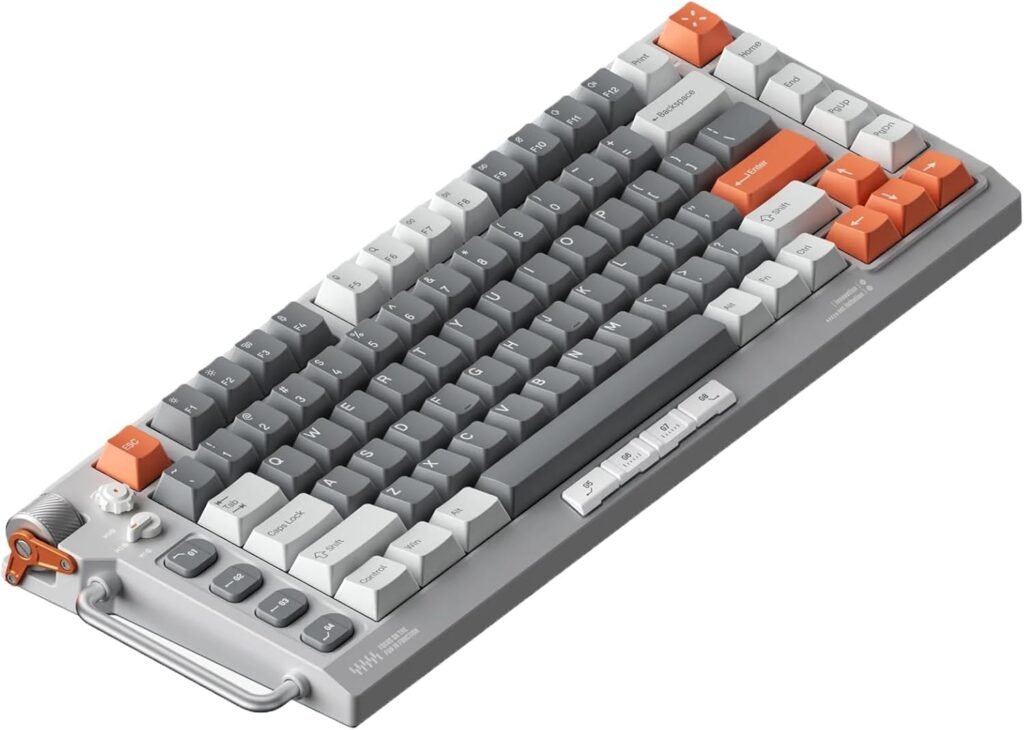
Wired mechanical keyboards are everywhere lately, but only a handful really command your attention at first glance. That’s exactly what happened when I first saw the NuPhy Field75 HE.
From the moment it landed on my desk, the combination of industrial aesthetics, premium materials, and a color palette that somehow feels both retro and industrial hooked me instantly. As someone who values both function and form, I had to find out if this keyboard’s performance could match its looks. Spoiler alert: for the most part, it does.
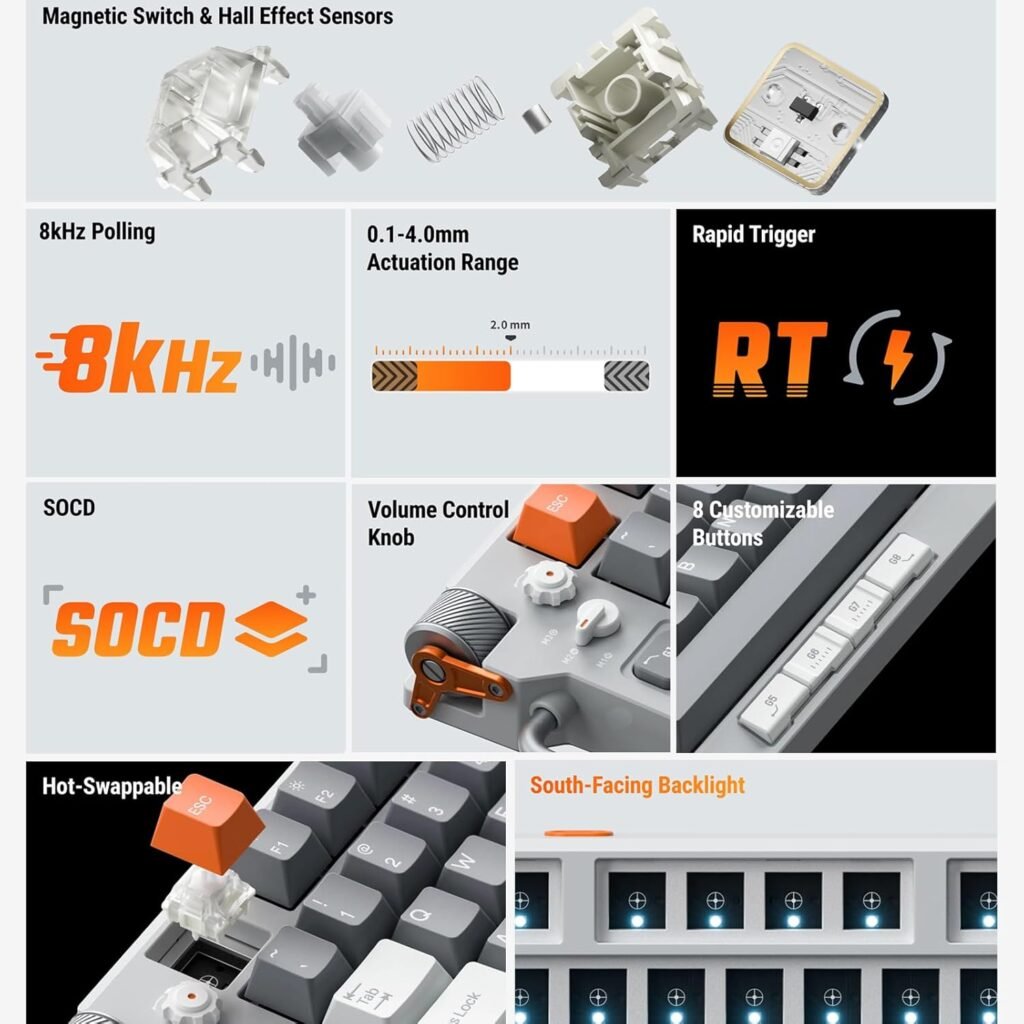
NuPhy Field75 HE at a Glance: Specs, Features, and First Impressions
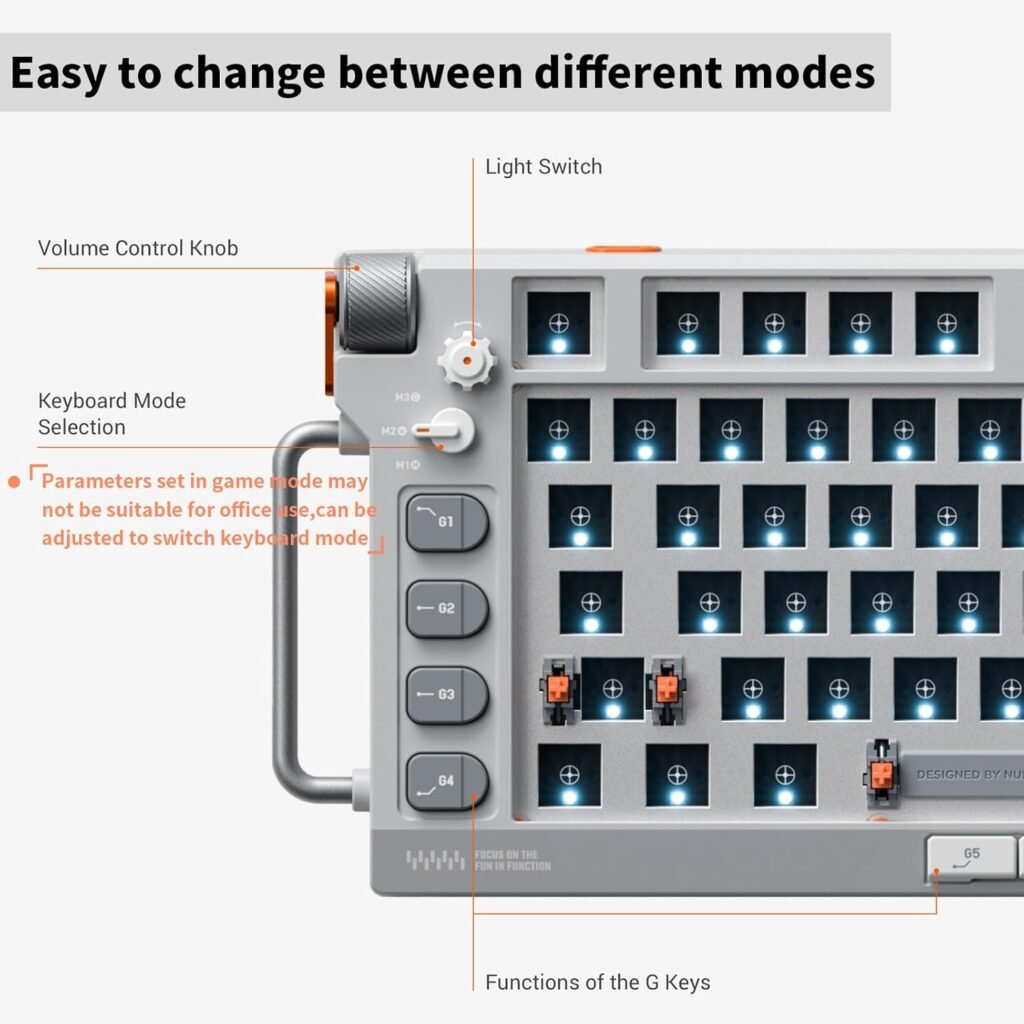
Let’s start with the essentials. The NuPhy Field75 HE is a 75% wired mechanical keyboard featuring Hall Effect magnetic switches, hot-swappable sockets with USB-C wired connection. It’s compatible with Windows, macOS, and Linux — something not every keyboard in this space can claim.
Some standout features include:
- Magnetic switches with adjustable actuation points via software
- Hot-swappable PCB
- RGB per-key lighting
- Customizable macros
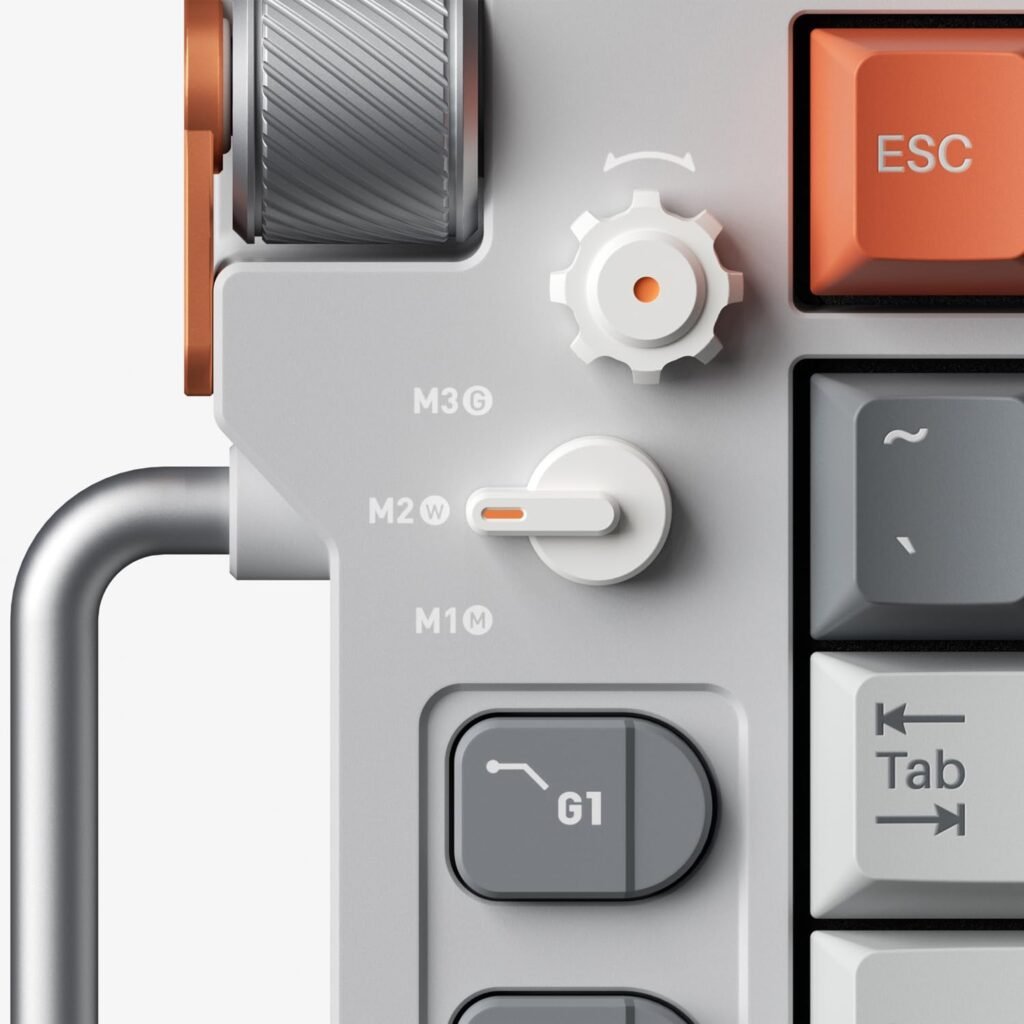
- A dedicated volume knob and brightness dial
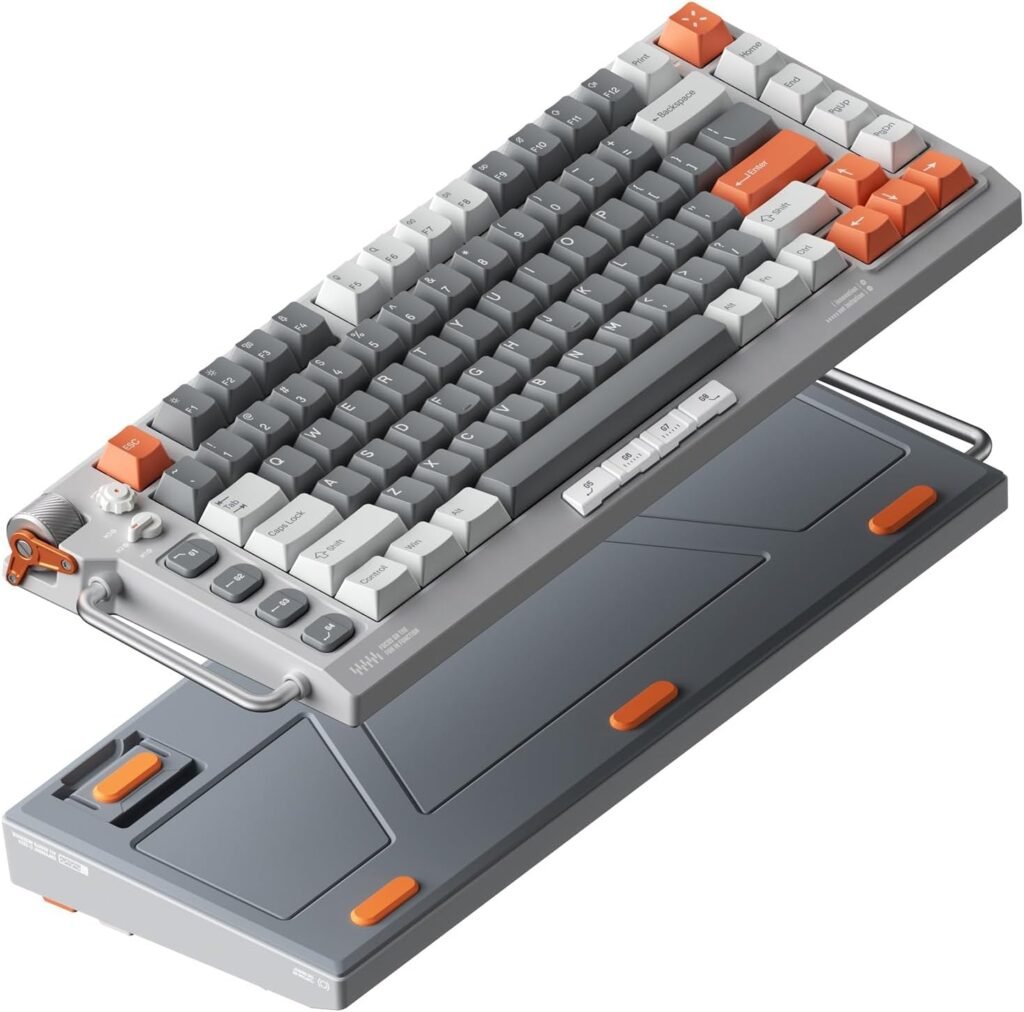
And let’s be clear — this is not your run-of-the-mill wired keyboard. At a glance, it’s a desk statement piece. The unique combination of colors and its robust build immediately separate it from generic options.
As someone who’s been through dozens of mechanical keyboards over the years, I can confidently say this build quality ranks among the best I’ve tried.
Design and Build Quality: Industrial Aesthetics with Premium Feel
The NuPhy Field75 HE’s design language feels refreshingly industrial — think utilitarian but refined. It pairs bold lines with well-chosen materials, resulting in a keyboard that looks as good as it feels.
The chassis is solid, no flex whatsoever, with a noticeable heft that adds to its premium vibe. The color scheme is also insane, the color combination was choose wisely — a mix of warm greys with accent colors that don’t scream for attention but still manage to make a bold statement.
From the doubleshot PBT keycaps to the well-finished aluminum top frame, it’s evident NuPhy took build quality seriously here. Every detail feels intentional.
In my hands-on use, this keyboard felt like one of the most robust I’ve tested to date. It’s the kind of build that makes you confident this board will outlast trends and daily wear without issue.
Ergonomics & Comfort: A Stunner with a Quirk
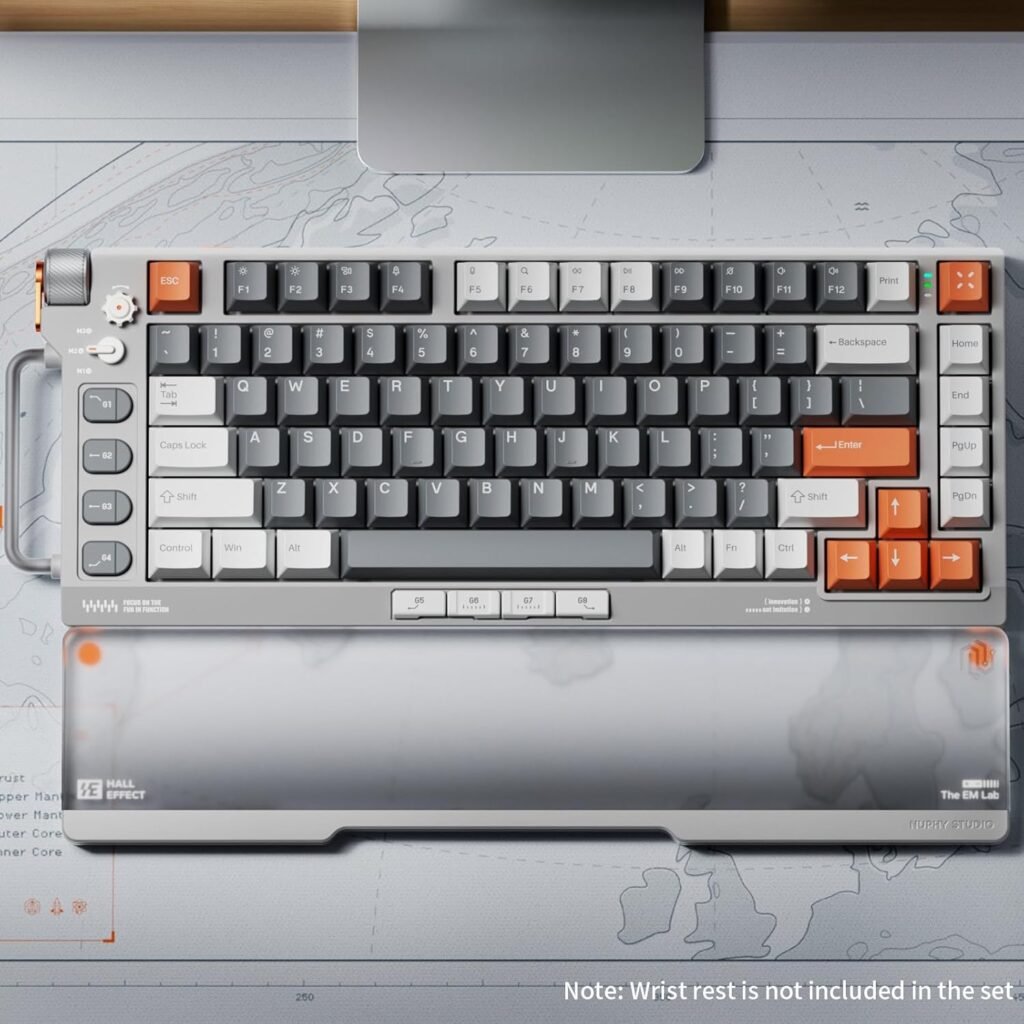
While it nails the aesthetic and build, ergonomics is where the Field75 HE shows a slight flaw. The keyboard sits relatively tall, and unfortunately, NuPhy doesn’t include a wrist rest in the box — a curious omission for a keyboard at this premium tier.
In my experience, typing for extended periods without wrist support became slightly uncomfortable. Especially because the keyboard’s height and incline make it less forgiving for those used to flatter profiles or wrist rests.
Another quirk worth noting: the macro keys placed close to the wrist area. I love programmable macros — but here, I found myself accidentally tapping them more than I’d like, especially during fast typing or gaming sessions. It’s not a dealbreaker, but definitely something you’ll need to get used to.
Typing Experience: Satisfying Sound and Feel
If you’re like me and care about the sound and feel of every keystroke, this is where the NuPhy Field75 HE truly shines.
Equipped with Hall Effect magnetic switches, this board delivers a smooth, linear actuation with adjustable sensitivity. And the best part? The sound is genuinely satisfying — a soft, muted clack that avoids both the hollow pinginess of cheaper boards and the overly dampened feel some premium boards lean towards.
In my testing, typing was an absolute joy. Whether hammering out emails, gaming, or coding, the magnetic switches paired with high-quality keycaps delivered a tactile, responsive experience with a uniquely clean sound signature.
I’ll be honest — the typing sound and feel were big reasons I fell for this board.
NuPhy Software: Intuitive? Not Exactly, But Powerful
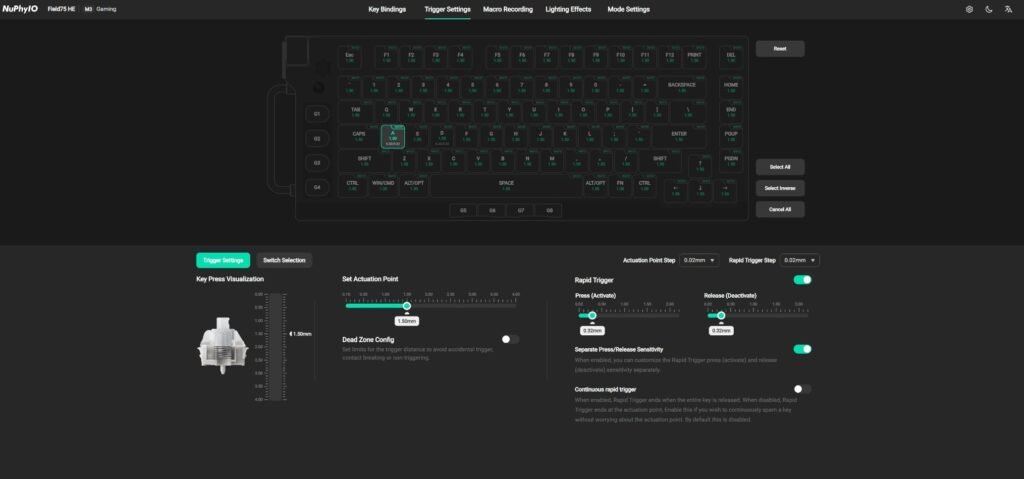
Now, on to the software. NuPhy’s configuration app isn’t the most intuitive platform I’ve use, but it packs a lot of power once you get past the initial learning curve.
Adjusting actuation points, programming macros, customizing lighting effects — it’s all there. It just might take a few minutes of exploration to get familiar on how to use this complete customization app.
In my case, after a brief adjustment period, I was able to set up macros, adjust RGB patterns, and fine-tune the brightness and volume knobs with ease. The software offers a depth of customization you typically only see in enthusiast-grade boards.
If you’re willing to invest a little time upfront, you’ll unlock a ton of personalization potential.
Compatibility: Seamless Across Windows, macOS, and Linux
One of the strongest features of the Field75 HE is its good compatibility with Windows, macOS, and even Linux. I’ve personally tested it in Windows and macOS, and switching between them was seamless.
No need for complex workarounds or additional drivers. Everything just works — from media keys to custom macros and lighting effects.
This makes NuPhy Field75 HE an excellent option for people like me who jump between different systems for work and play.
Customization and Macros: A Tactile Control Dream
Customization is one of the reasons enthusiasts go for mechanical keyboards, and the Field75 HE delivers on this front.
Every key is programmable, and the macro keys are highly flexible. My only gripe? Their placement near the wrist area, which did lead to a few unintended key presses. It’s something I adjusted to over time, but I’d still prefer a layout tweak in future revisions.
On the flip side, the dedicated volume knob and brightness dial are absolute highlights. There’s a pleasing tactile resistance to each turn, giving you precise control without feeling flimsy.
For day-to-day use, these physical controls turned out to be surprisingly functional and addictive — something I didn’t realize I wanted until I had them.
How It Compares: NuPhy Field75 HE vs Other 75% Keyboards
If you’re considering the Field75 HE, you’re likely also eyeing options like the Keychron Q1, GMMK Pro, or Akko Mod 007.
Here’s how it stacks up:
- Design: Field75 HE wins hands-down for visual impact
- Build Quality: On par with Q1 and GMMK Pro, better than Akko 007
- Typing Sound: Slight edge over GMMK Pro, softer and cleaner than Q1
- Software: Not as intuitive as Keychron’s VIA-compatible software, but more powerful once mastered
- Ergonomics: GMMK Pro and Q1 offer slightly better comfort with wrist rests available
- Magnetic Switches: Unique to Field75 HE in this group — and a genuine standout feature
If sound, customization, and aesthetics matter to you as much as typing feel, Field75 HE is the one to beat.
Final Verdict: Is the NuPhy Field75 HE Worth It?
After several weeks with the NuPhy Field75 HE, I can confidently say it’s one of the best wired mechanical keyboards I’ve ever used.
✅ Pros:
- Stunning industrial design
- Magnetic switches feel and sound incredible
- Top-tier build quality
- Seamless multi-OS compatibility
- Highly customizable macros and dials
❌ Cons:
- Tall profile without included wrist rest
- Macro keys near wrist area can cause accidental presses
- Software learning curve
If you prioritize design, sound, and customization — and you’re okay adding a wrist rest — this keyboard is worth every penny.
It’s not perfect, but it offers a unique typing experience no other 75% keyboard currently delivers. If you want to explore more good-looking Keyboards, check this out: GravaStar Mercury K1
Looking for More Real-World Experiences?
If you want to hear what other users think about the NuPhy Field75 HE, this is the perfect spot. Check out these reviews and see how it’s performing for different people.
5/5 stars opinion ⭐⭐⭐⭐⭐
The typing experience is a delight to the senses. Being serious here.
9.5/10…only because I don’t like giving out 10s. this is the best keyboard I’ve owned
1) Buttery smooth key presses with the prefect amount of resistance (magnetic jade switches)
2) The Thock is strong with this keyboard. great audible experience
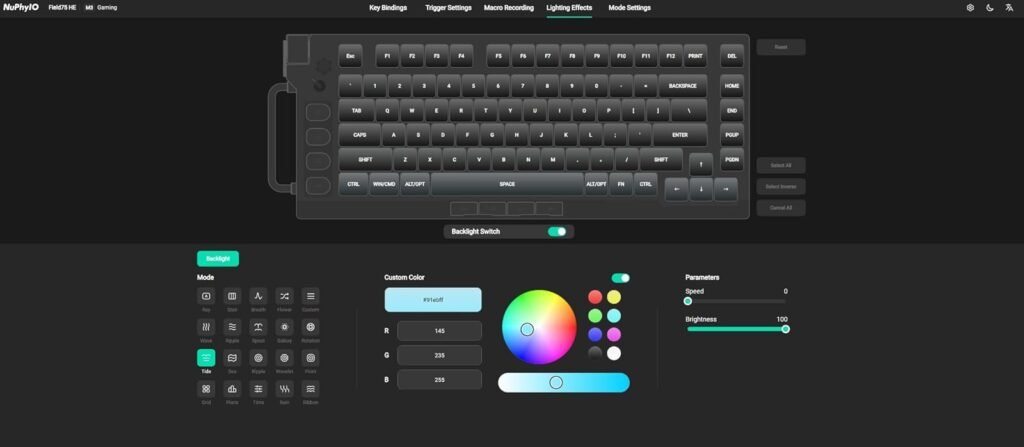
3) The “software” (sorry, it’s not technically software but a browser based tool at nuphy.io) is the best I’ve tried from a UX perspective and the amount of customization is truly impressive. I’ve included some screen shots to show this off
4) I like the look, the handle is actually useful (and necessary as the keyboard has some mass to it)
5) if you’re really into RGB, you can customize individual keys
6) best keyboard I’ve owned/triedOnly Cons:
1) the software is only accessible via internet (granted if I can’t access the internet trying to change settings on the keyboard probably won’t be high on my list of things to do)
2) I rest my thumbs on the bottom edge of the keyboard so I would accidently press the bottom macros – I’m sure I could fix this with a wrist pad (which I plan on buying from Nuphy)
3) I worry slightly about the RGB dial in the top left. it doesn’t feel as sturdy as the rest of the keyboard (feels like I’m kinda nit picking here, but trying to find things to assign to the cons list)I tried the Logitech G915 – I liked it but felt there was something better out there. so glad I did. I plan on getting some different keycaps only because I want to change the look slightly (the EM keys from Nuphy)
1/5 stars opinion ⭐
Bought it and it was dead when it arrived. USB-C port on the keyboard is defective. I had to hold the cord up just to get it to turn on long enough to see if it had the most recent firmware. It did.
4/5 stars opinion ⭐⭐⭐⭐
The keyboard is amazing and has that “creamy” feel in terms of sound and tactile, but if your not used to linear switches is kinda hard to get used to.
Also due to the switches nature – change the action travel to type because is so sensitive then you can switch to the game mode when you need quick responses.
Pretty much connect the keyboard and change the settings accordingly of your taste