
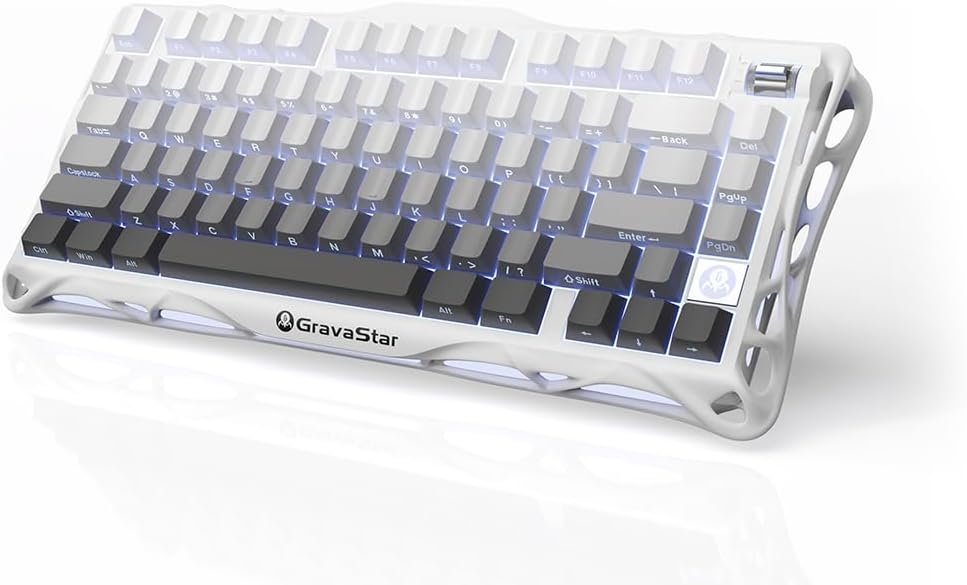
If you’ve ever wanted a keyboard that’s as much a statement piece as it is a reliable tool, you need to meet the GravaStar Mercury K1. This isn’t your average, minimalist slab of keys. It’s bold, futuristic, and built for people who want both style and substance at their fingertips.
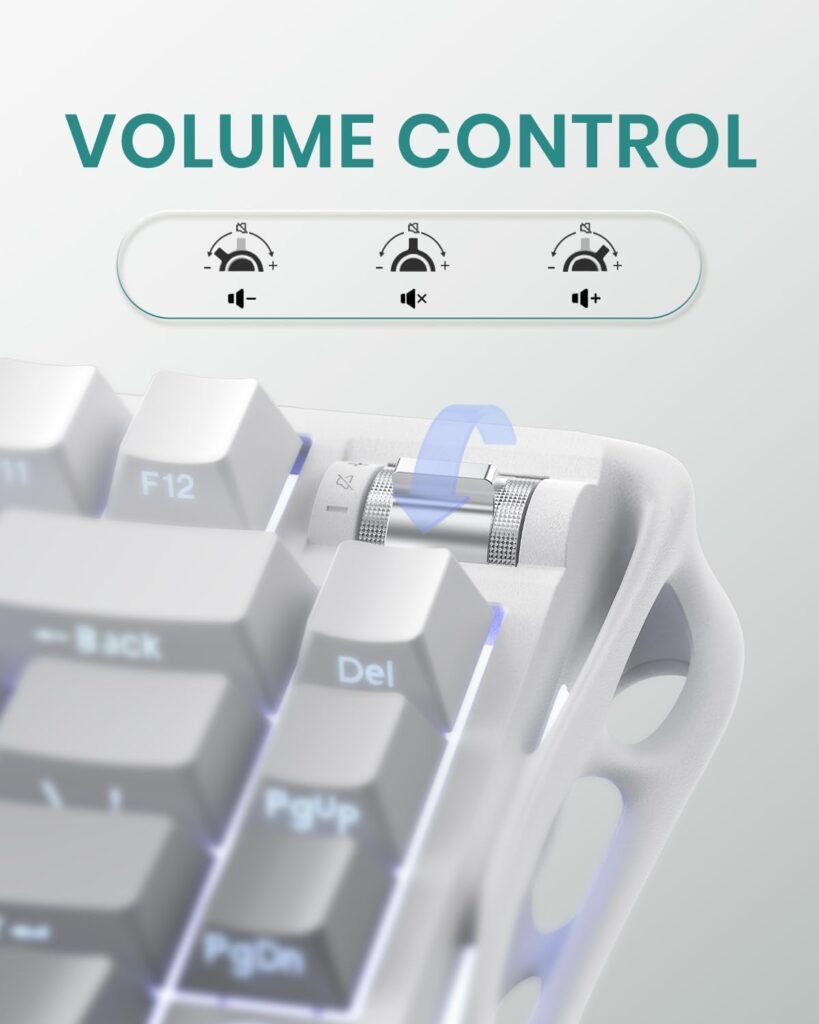
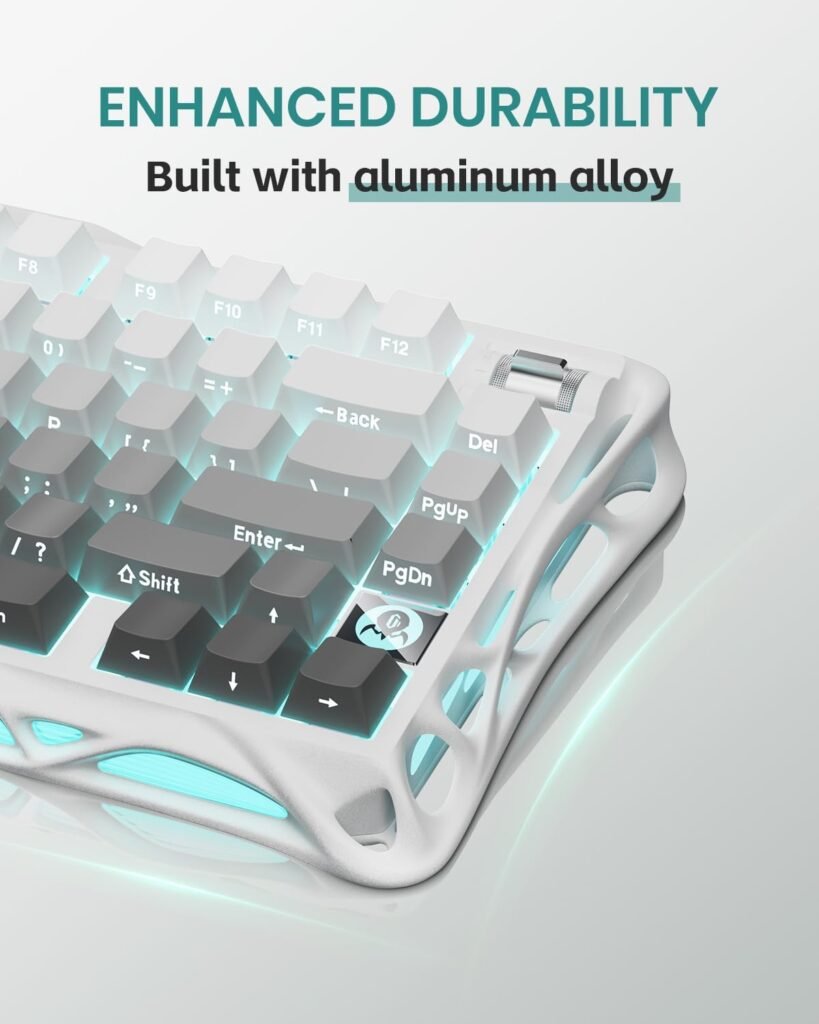
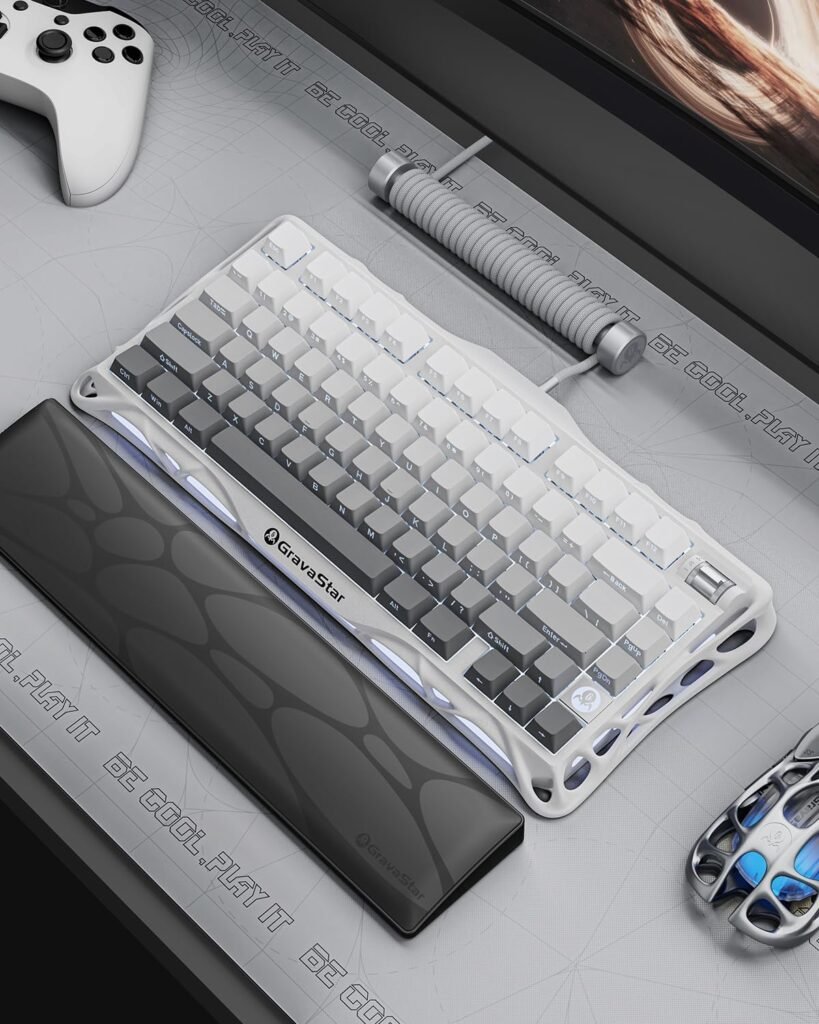
As someone who spends a good chunk of my day gaming and working at my desk, I’ve tried my fair share of mechanical keyboards — but few have left an impression quite like this one. With its unique Exoskeleton design, tri-mode connectivity, and customizable RGB lighting, the Mercury K1 stands out in a saturated market.
In this review, I’ll take you through everything you need to know: from design and features to performance, benefits, and whether it’s worth your money. Spoiler alert: it absolutely is.
Key Features of the Mercury K1
If you’re like me, you appreciate a keyboard that’s more than just a tool — it should feel good, look stunning, and perform flawlessly whether you’re deep in a gaming session or cranking out work projects. The GravaStar Mercury K1 hits those marks and then some.
Specifications at a Glance:
- Dimensions: 13.5 x 6.14 x 1.81 inches
- Weight: 2.33 pounds
- Battery: 1 Lithium-Ion battery (included)
- Connectivity: Tri-mode (Bluetooth 5.1, 2.4GHz wireless, USB-C wired)
Benefits of the GravaStar Mercury K1
✅ Futuristic, Aesthetic-Driven Design
I went for the white version, and let me tell you — it’s a showstopper. The Exoskeleton design with customizable RGB lighting turns heads and elevates any setup.
✅ Tri-Mode Connectivity for Total Freedom
I’m not a fan of cables cluttering my desk, so having reliable Bluetooth and 2.4GHz wireless options makes this keyboard perfect for my workflow. And when I do need a wired connection, the USB-C format is clean and efficient.
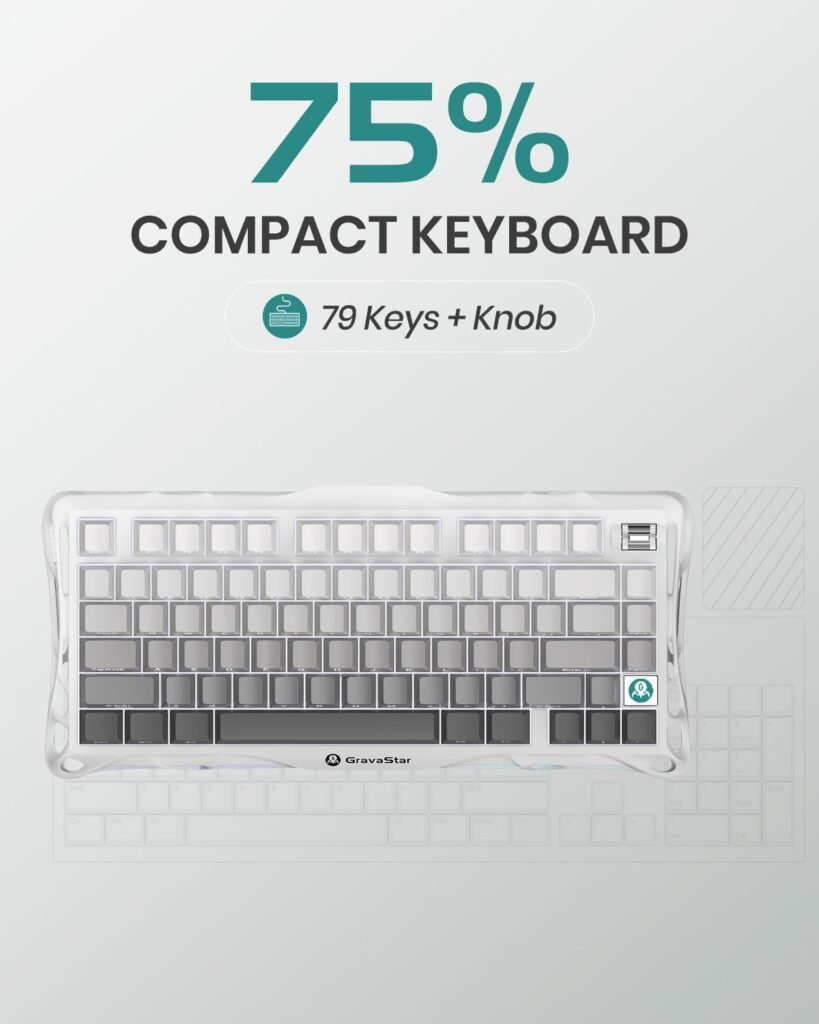
✅ Compact 75% Layout
The compact size of the GravaStar K1 makes it ideal for limited desk space without sacrificing essential keys. It’s my go-to for both gaming and work because it leaves enough room for my mouse and other gear while still delivering a complete typing experience.
✅ Responsive Typing and Premium Build
From the moment you start typing, you can hear and feel the quality. The mechanical switches provide that satisfying click with zero lag.
✅ Customizable RGB Lighting
Paired with its exoskeleton frame, the lighting is fully customizable via easy-to-use software. I had mine set up within minutes, adjusting colors and effects to match my workspace vibe.
✅ Long-Lasting Battery Life
Thanks to its lithium-ion battery, you won’t be tethered to a cable. Even with the lights on full blast, it handles long workdays and extended gaming nights like a champ.
Performance and Typing Feel: More Than Just Looks
Sure, the GravaStar Mercury K1 looks like it belongs in a sci-fi movie, but what matters most is how it performs when you actually put your hands on it. I’m pleased to report it’s every bit as good in use as it is on display.
From the moment I started typing, I could literally hear the quality of this product. The mechanical switches (I went with the brown switches for a balanced experience) deliver a satisfying tactile bump without being overly loud — though if you enjoy that classic clicky sound, the blue switch option might be your thing.
The keycaps feel durable and smooth under your fingers, and the spacing is spot-on for avoiding accidental presses. Whether you’re typing out documents, chatting with teammates in-game, or firing off commands during a high-stakes battle, the response is immediate and precise.
Gaming-wise, it holds up beautifully. I’ve put it through everything from fast-paced shooters to MOBA marathons, and not once did it miss a beat. The low latency of the 2.4GHz wireless mode makes it a solid pick for competitive play. And thanks to its 75% layout, I never feel cramped, even during long hours at the desk.
Another detail I appreciated is how stable the keyboard remains, even during intense gaming sessions. At 2.33 pounds, it’s heavy enough to stay put but not so much that it’s a chore to move around if needed.
In short — whether for work or play, this keyboard delivers consistently great performance, and it feels as good as it looks.
Futuristic Design That Stands Out
One glance at the Mercury K1 and you realize this isn’t a run-of-the-mill mechanical keyboard. GravaStar, known for their edgy, sci-fi-inspired tech designs, went all out on this one. The Exoskeleton frame gives it an industrial, cyberpunk vibe that I instantly fell for.
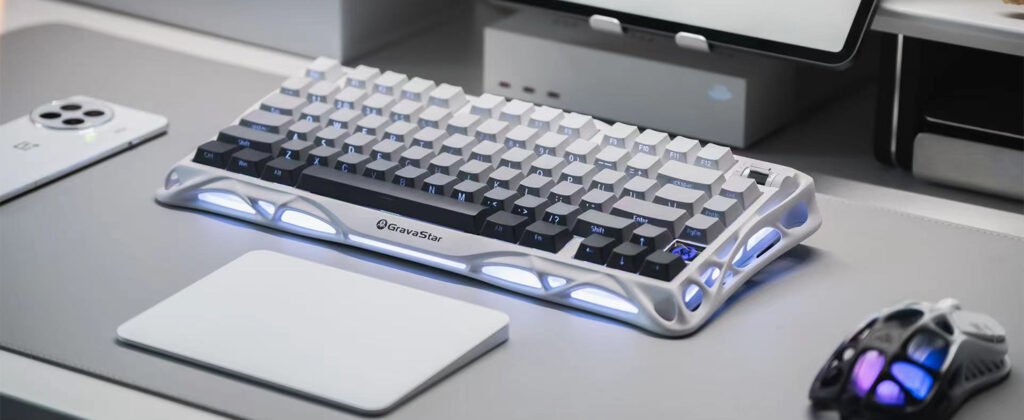
I personally picked up the white color variant, and I can confidently say it looks even better in person. The matte finish feels premium, and the way the RGB lights bleed through the exoskeleton gaps is nothing short of aesthetic perfection.
And if white isn’t your thing? No problem. The other available colors are equally stunning. The Mercury K1 doesn’t just sit on your desk — it elevates your entire setup.
What’s more, despite its rugged appearance, the build quality feels refined. It has a reassuring weight to it (2.33 pounds, to be precise) that keeps it firmly in place, whether you’re pounding away on emails or dominating an online match.
Advantages of the GravaStar Mercury K1 (From Real-World Experience)
- Stunning, Futuristic Design
The Mercury K1 isn’t your average keyboard. Its Exoskeleton aesthetic makes it a visual centerpiece on any desk. I grabbed the white version, and trust me — it turns heads and makes your setup look next-level. - Customizable, Immersive RGB Lighting
I’ve seen my fair share of backlit keyboards, but this one hits different. The way the RGB effects bleed through the open-frame chassis gives it an almost mechanical heartbeat. It feels alive, and the cyan-to-purple wave effect I set up instantly upgraded my workspace vibe. - Easy-to-Use, Intuitive Software
Setting up RGB effects, macros, and profiles was a breeze. No bloatware, no complicated menus. In minutes, I had my preferred layout dialed in. It’s lightweight, responsive, and doesn’t hog resources — a huge win compared to other clunky peripheral software I’ve used. - Effortless Tri-Mode Connectivity
I love going wireless, and this keyboard makes it seamless. Bluetooth, 2.4GHz wireless, and USB-C wired are all there. Pairing took seconds, switching between devices is smooth, and cables only come out when I want them. - Compact 75% Layout, Big Functionality
At 13.5 inches wide, it saves valuable desk space while keeping essential keys accessible. I can game, work, and multitask without feeling cramped — perfect for smaller setups or dual-monitor desks like mine. - Responsive Typing and Gaming Experience
Every keystroke on the Mercury K1 feels premium. You can literally hear and feel the quality. The mechanical switches are responsive, precise, and reliable whether I’m working on articles or running through late-night gaming marathons. - Rock-Solid Build and Stability
At 2.33 pounds, this GravaStar K1 stays put. No sliding around during intense gameplay or fast typing. The solid, quality construction is something you notice from the first tap. - Long-Lasting, Rechargeable Battery
The included lithium-ion battery powers through hours of backlit use. Even with RGB on full blast, I never worry about it dying mid-session. - Genuinely Improves Workspace Aesthetics and Mood
It’s the kind of keyboard you glance at just to admire. The lighting improves visibility without blinding you in dark rooms, and it doubles as functional art for your desk. - Worth Every Dollar
Sure, it’s around $189–$199, but you’re not paying for gimmicks. You’re investing in a high-performance, durable, and future-proof keyboard that balances form, function, and personal expression.
Is It Worth the Price? Final Verdict
At around $115–$140 depending on the variant, the Mercury K1 isn’t the cheapest keyboard on the market. But in my opinion, it’s worth every dollar.
You’re not just paying for looks — you’re investing in a high-performance, future-proof keyboard with excellent wireless flexibility, long-lasting battery life, premium materials, and a design that genuinely stands out in a sea of samey peripherals.
It ticks every box I need for work and play. And based on my hands-on experience, I’d happily recommend it to anyone who values both function and form in their gear.
Explore more reviews!
5/5 stars opinion ⭐⭐⭐⭐⭐
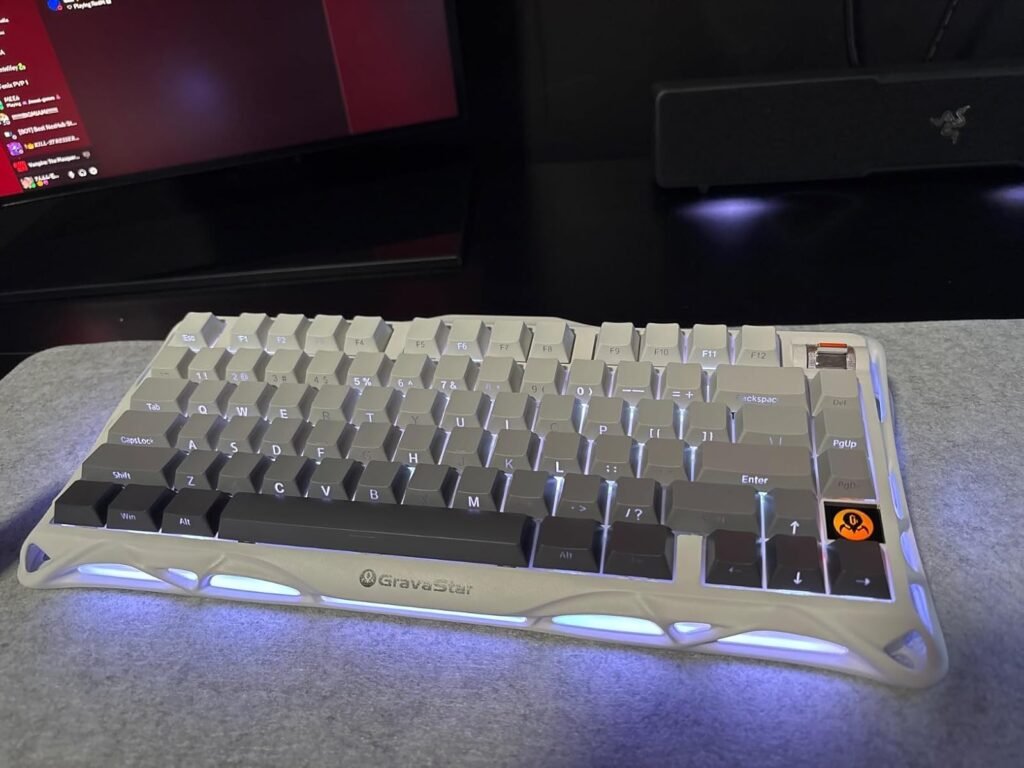
This Gravastar K/B ended up being exactly what I needed after owning a bunch of different brands. The Design is like art and the feel of the keys are excellent. Very heavy duty and doesn’t take a lot of space on my desk. Great for all my long L.O.L. matches. Overall recommended to anyone looking for something great and dependable.
4/5 stars opinion ⭐⭐⭐⭐
This GravaStar Mercury K1 has a sleek design, solid build quality, and a comfortable typing experience. The key response is satisfying, and the overall feel is great for both work and gaming. It also has a nice layout, making it easy to use right out of the box.